Learning CircuitPython with Circuit Playground Express
Get unlimited access to all learning content and premium assets Membership Pro
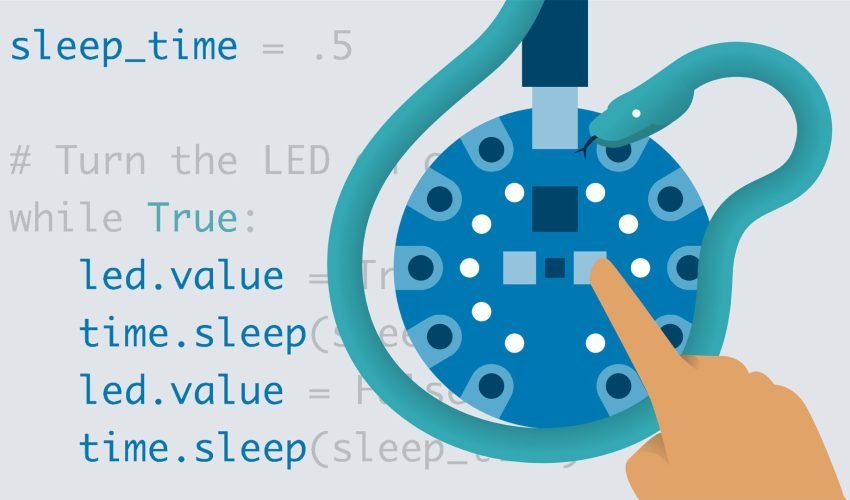
Unleash the power of physical computing. Learn Python by interacting with the real world using the sensor-packed Adafruit Circuit Playground Express—no breadboarding or soldering required.
Course Description
The easiest way to learn programming is to make things happen in the physical world.
Traditional coding courses confine you to a sterile desktop terminal, printing “Hello, World!” onto a screen. But when your code turns a dial, flashes brilliant NeoPixel lights, plays a custom melody, or responds when you tilt your hand—programming suddenly clicks. Physical computing bridges the gap between software and reality, and there is no better gateway than the Adafruit Circuit Playground Express (CPX).
Learning CircuitPython with Circuit Playground Express is a practical, project-based masterclass tailored for educators, makers, artists, and absolute programming beginners.
CircuitPython—a lightweight, hardware-optimized version of the highly popular Python programming language—strips away the complex compilation and setup layers of traditional microcontrollers. By plugging your CPX into a computer, it shows up as a standard USB thumb drive. You edit a single file (code.py), hit save, and your code executes instantly on the board.
Throughout this comprehensive course, you will systematically unlock the massive suite of on-board hardware built directly into the circular CPX board: from its 10 programmable multi-color NeoPixels, triple-axis accelerometer, and temperature sensor, to its sound, light, and infrared modules. Skip the headache of tangled wires, complex schematics, and accidental short-circuits. Jump straight into building interactive games, reactive wearable tech, and smart home prototypes with elegant, human-readable Python code.
What You’ll Learn
-
Master Physical Python Syntax: Understand variables, conditional logic, loops, and functions written directly for hardware execution.
-
Program Brilliant Light Displays: Control individual colors, animations, and brightness on the 10 built-in mini NeoPixels.
-
Read On-Board Sensors: Gather real-time data from the triple-axis accelerometer, temperature thermistor, and phototransistor light sensor.
-
Create Audio & Touch Interfaces: Utilize capacitive touch pads to build custom instruments and trigger audio clips through the class D amplifier.
-
Utilize the Serial Console & REPL: Debug hardware inputs dynamically using the interactive Read-Evaluate-Print Loop environment.
-
Simulate Human Interface Devices (HID): Program your physical board to act as a computer keyboard or mouse shortcut tool.
Skills You’ll Gain
-
Core Python Programming (CircuitPython dialect)
-
Physical Computing & Mechatronics Fundamentals
-
Sensory Data Analysis & Logic Mapping
-
Rapid Hardware Prototyping
-
Hardware Debugging with the REPL Console
- Format: 100% Online
- Self-Paced
- Video Content: 5 Hours of clear
- high-definition step-by-step instructional screencasts and hardware demonstrations
- Modules: 5 Logical Structural Chapters
- Resources: 15 Downloadable source code blueprints
- hardware reference sheets
- and interactive project templates
- Access: Full Lifetime Access on Mobile and Desktop
- Absolute Beginners wanting a highly tactile
- physical introduction to software development.
- STEM Educators and Makerspace Teachers searching for structured
- project-ready curricula using Adafruit hardware.
- Hobbyists
- Artists
- and Cosplayers aiming to incorporate smart lighting
- sound effects
- or motion tracking into physical installations or costumes.
- Software Developers looking to venture into embedded systems programming using a high-level language instead of traditional C++.
- An Adafruit Circuit Playground Express (CPX) board along with a micro-USB data cable.
- A computer running Windows
- macOS
- or Linux.
- The free
- open-source Mu Editor (the course guides you completely through installation).
- No prior programming or electronics experience required.

Get unlimited access to all learning content and premium assets Membership Pro
"As an educator, this was exactly what I needed." "I wanted to introduce coding to my middle-school STEM classes without dealing with soldering irons or confusing breadboards. This course was a lifesaver. The instructor transitions seamlessly from basic logic to reading the accelerometer. My students built a motion-activated alarm in one afternoon!" — Marcus G., STEM Coordinator
You might be interested in
-
All levels
-
5482 Students
-
95 Lessons
-
All levels
-
9313 Students
-
43 Lessons
-
Intermediate
-
7639 Students
-
0 Lessons
-
Beginner
-
14285 Students
-
0 Lessons
Sign up to receive our latest updates
Get in touch
Call us directly?
Address